
Replacement Remote Control for TV Stick/4K/4K Max(1st /2nd Gen)/Lite/TV Cube with Voice, and Compatible with All Toshiba/Insignia/Pioneer Smart TVs
Replacement Remote Control for TV Stick/4K/4K Max(1st /2nd Gen)/Lite/TV Cube with Voice, and Compatible with All Toshiba/Insignia/Pioneer Smart TVs
Description
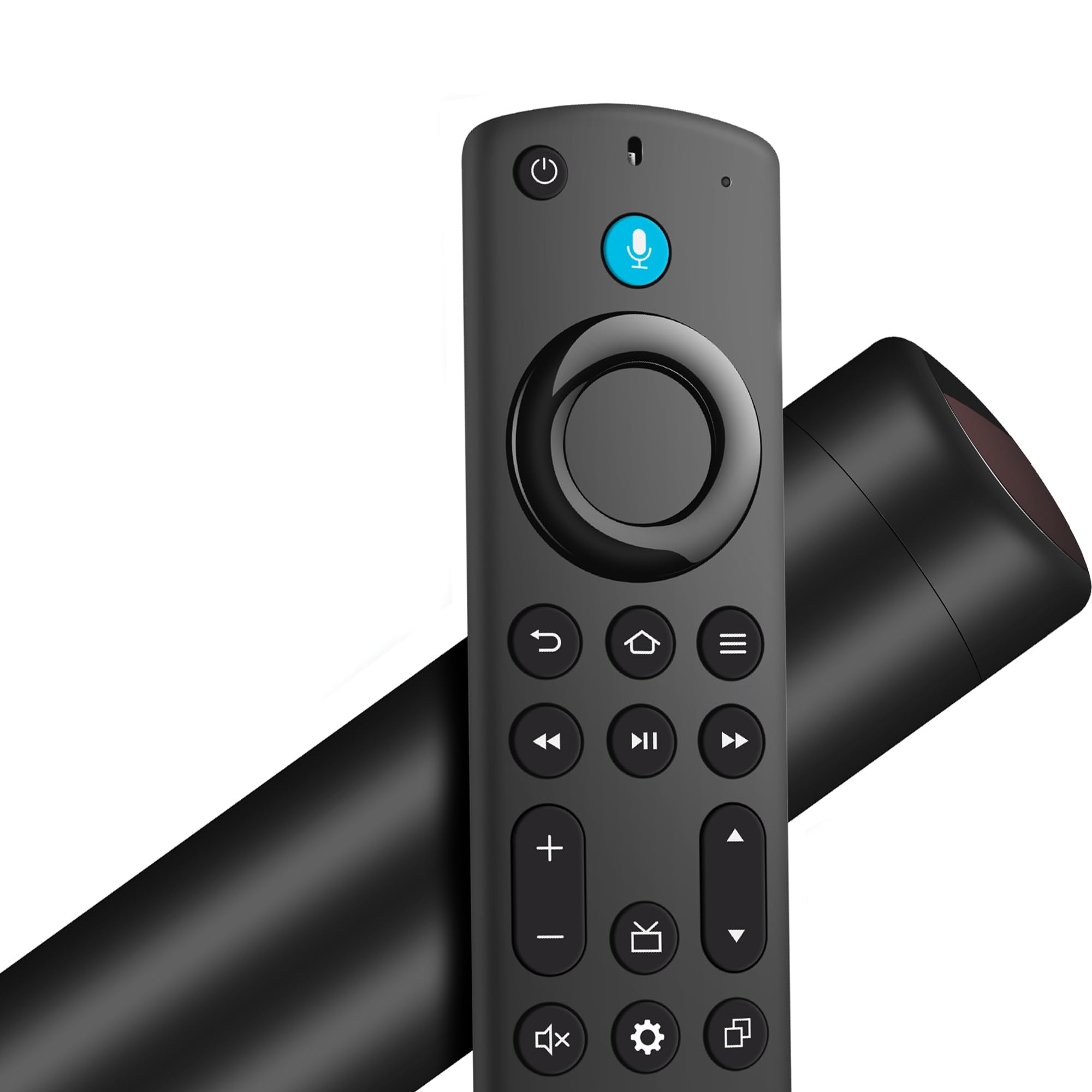
Information: Replacement Voice Remote Control compatible with Models: with insign/toshi/piner smart tvs with oi QLED series smart tvs with oi series smart tvs with 2/4 series smart tvs with smart tv (3rd Gen) with tv stick (2nd Gen/3rd Gen) with tv stick 4k max(1st Gen) with tv stick 4k(1st Gen/2nd Gen) with tv stick lite with tv cube (1st Gen/2nd Gen/3rd Gen) package: 1 * Voice Remote Control (2 x AAA batteries not included) 1 * User manual Easy to pair: Unplug the device from the power cable and restart it. Once the TV home screen appears, press the Home button for about 10-15 seconds, the LED indicator will quickly flash amber for 10 seconds, then flash faster when your remote control is ready to connect if it does not work: 1: Make sure the batteries of the old remote control are removed before pairing, if the old remote control is still paired, the new one cannot be used 2: Confirm the remote control if connected more than 6 limits
Item Details
Pickup Location
1402 S 40th Ave
Phoenix, AZ, 85009
Quality
Estimated Retail Price
$8.31
Buyers Premium
15%
Inventory Number
1044972329
Found in
Additional Details from the Manufacturer
This item information is coming from the manufacturer. Some of the details may vary from the Nellis Auction listing. Please check the Quality Rating and Notes for information specific to this listing
brand
SZILBZcolor
BlackMore features
- Applicable streaming device models: TV cube(1st / 2nd / 3rd Gen), TV stick 4K Max(1st / 2nd Gen), TV stick 4K(1st / 2nd Gen), TV stick(2nd / 3rd Gen), TV stick Lite, smart TV(3rd Gen), replacement remote control with voice search for Insignia/Toshiba/Pioneer smart tvs
- Please Note: This replacement remote control can not compatible with Smart TVs (1st and 2nd Gen), Smart TVs Stick (1st Gen), or Smart TVs Edition smart TVs
- Voice Search & 4 Shortcut buttons:This voice replacement remote is pre-programmed with 4 shortcut buttons, one click, and you're right where you want to be. Plus, and also features a voice search function that enhances your viewing experience by making it easier to search for content and access popular streaming services
- Easy to Pair:First you need to remove stick from TV and power from stick. Then reattach power and stick back in TV. Then Press the Home button about 10-15 seconds until the LED indicator starts to rapidly flash amber for 10 seconds, then your remote will automatically pair with your device
- What You Get: 1 *Replacement Voice Remote Control(2 AAA batteries not included),1 * User Manual
See the deals
Get in on the action, thousands of new items added daily. Bid and win!
Start bidding now