
Explore Productsended
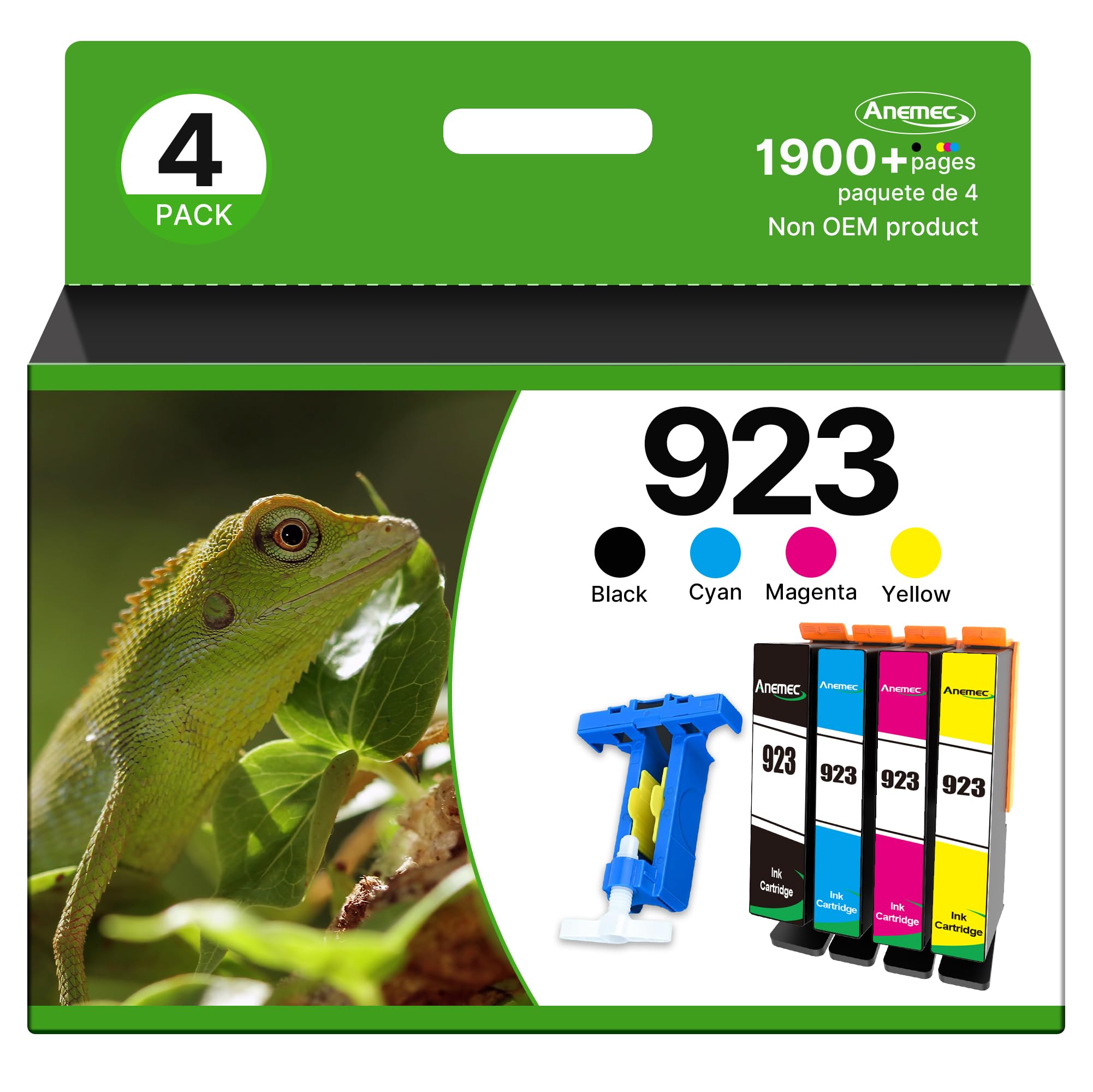
923 Ink Cartridges Combo Pack 923XL High Yield Compatible for HP 923 Ink Cartridges Work for OfficeJet Pro 8130e 8135e 8139e 8138e 8120e 8122e 8124e (4 Pack, Black Cyan Magenta Yellow) Without Chip
923 Ink Cartridges Combo Pack 923XL High Yield Compatible for HP 923 Ink Cartridges Work for OfficeJet Pro 8130e 8135e 8139e 8138e 8120e 8122e 8124e (4 Pack, Black Cyan Magenta Yellow) Without Chip
Item Details
Seller

Nellis Auction
Pickup Location
4031 Market Center Dr Suite 303
North Las Vegas, NV, 89030
Quality
New
Functional
No Damage
No Assembly Needed
In Package
No Missing Parts
Estimated Retail Price
$60.87
Buyers Premium
15%
Inventory Number
1069473321
Additional Details from the Manufacturer
This item information is coming from the manufacturer. Some of the details may vary from the Nellis Auction listing. Please check the Quality Rating and Notes for information specific to this listing
brand
Anemeccolor
Black Cyan Magenta Yellowsize
For hp 923 ink cartridgesMore features
- Compatible Printers: 923 ink cartridges for hp printers OfficeJet 8120e 8122e 8124e 8125e OfficeJet Pro 8130e 8132e 8134e 8135e 8138e 8139e
- What's in the box: 923 high yield ink replacement for hp 923xl ink cartridges combo pack (Includes 1 * black, 1 * cyan, 1 * magenta, 1 * yellow, 1 * user guide)
- The 923 ink cartridges for hp printers offers superb print quality. With sharp details, vibrant colors, and clear texts, it ensures every printout is a masterpiece, meeting all your high-quality printing demands
- Cartridge yield (approx.): Up to 3X more prints with us vs.others: 512 pages black, 448 pages cyan, 448 pages magenta, 448 pages yellow (Letter A4, 5% coverage)
- Focus on Premium Printing: These hp923 ink cartridges qualified with ISO9001 and ISO14001 Factory Standards provide you with fluent printing results. This is NOT an OEM product
- NOTE: NO CHIPS! REQUIRES CHIPS. Our ink cartridges are not equipped with chips, and you need to prepare and install chips to drive them
- Chip Replacement Guide: ①You need to remove the original chips on ink cartridges through our tool. ②Peel off the tape of the new compatible cartridge and Stick the chip onto the tape
- If your printer does not recognize the ink cartridges, please try the following troubleshooting steps: ① do not remove the protective seal covering the ink port ② remember to replace the chip ③ take off the yellow tape. ④ Reinstall the ink cartridge in the correct position of printer

See the deals
Get in on the action, thousands of new items added daily. Bid and win!
Start bidding now