Explore Productsended
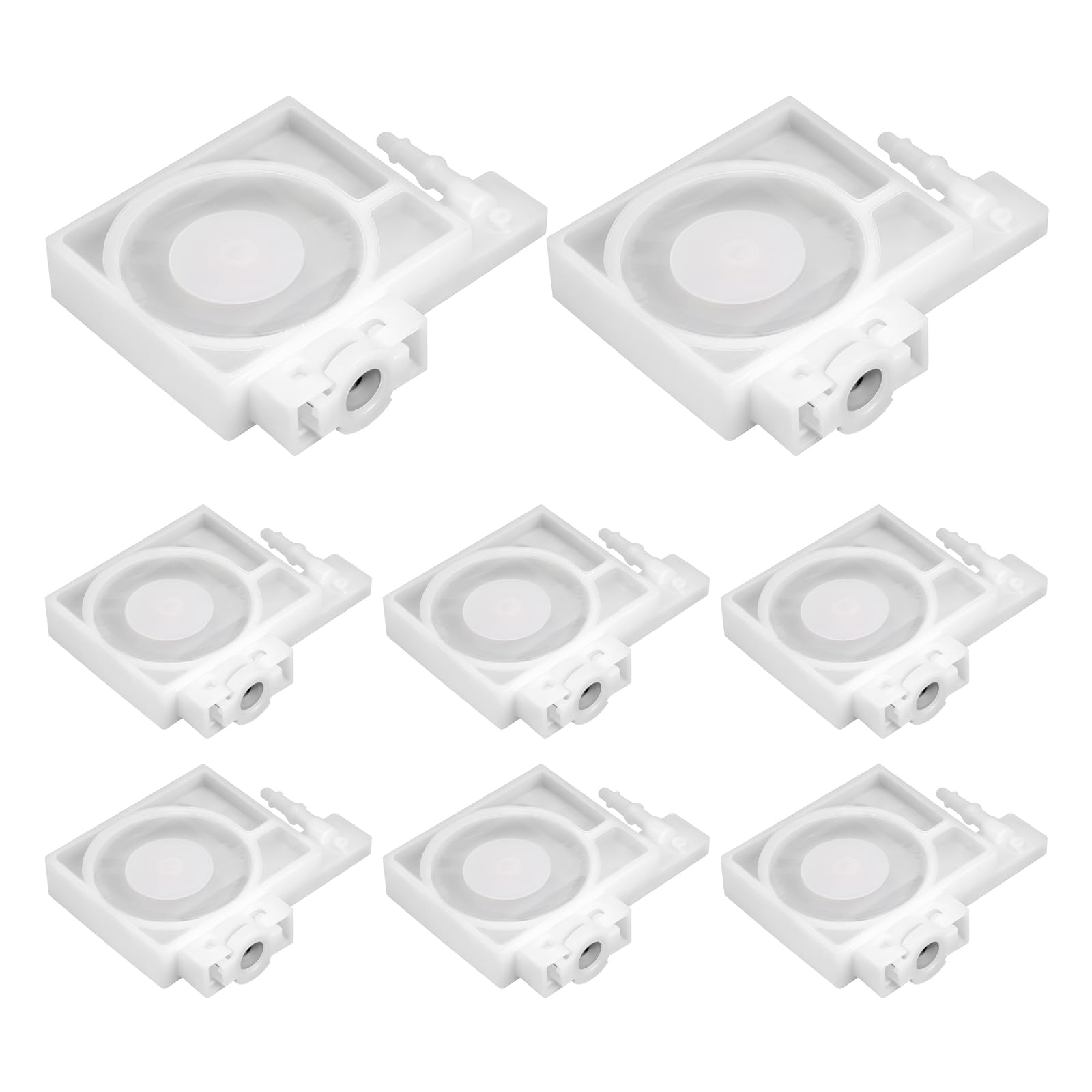
8Pcs Printer Ink Damper Compatible with Epson P408 R1390 L1800 L1400 R2000 R2400 L1300 T50 L805 DTF Printers, White Damper for Epson L805 DTF
Ended
-
Won For
$1
Item Details
Seller

Lots Of Auctions
Pickup Location
4801 W University Drive Suite 104
Denton, TX, 76207
Quality
New
Functional
No Damage
No Assembly Needed
In Package
No Missing Parts
Estimated Retail Price
$25.81
Buyers Premium
15%
Inventory Number
1084086578
Additional Details from the Manufacturer
This item information is coming from the manufacturer. Some of the details may vary from the Nellis Auction listing. Please check the Quality Rating and Notes for information specific to this listing
dimensions
Package: 0.02 lbMore features
- High Quality Material: You will receive 8pcs ink dampers compatible with Epson L805. The printer ink damper compatible with Epson L1800 is made of PVC material, which is characterized by corrosion and impact resistance. The DTF R1390 ink dampers compatible with Epson have good compatibility with ink and effectively improves printer performance.
- Perfect Compatibility: This dampers for L1800 DTF printer are also compatible with Epson P408, R1390, L1400, R2000, R2400, L1300, T50, L805 printers. The white dampers L1800 adapt to 3 x 2mm ink tubes and support home, commercial and industrial printing.
- Smooth Ink Supply: This printer ink damper R1390 keeps internal pressure balanced, reducing bubbles and ink breakage. The L805 damper keeps stable ink output, which ensures sharp print details and even colors. The L1800 ink damper also reduces noise and vibration during operation, helping to create a comfortable printing environment.
- Anti-clogging Structure: This L1800 DTF dampers are designed with multi-layer filtration. It ensures smooth ink flow and prevents nozzle from clogging or leaking. To prevent the nozzle from clogging and keep it clean, you can wipe it with a dust-free cloth. And it is recommended to replace the L1800 dampers once in 3-6 months.
- Installation Tips: Replace the L1800 dampers when you see the printer's ink indicator light blinking or intermittent ink. Turn off the power before installing this ink damper L1800, then check for holes, cracks and leaks. After removing the old damper, align the card slot and insert the new one vertically. Ensure that the interface is securely sealed. After that, let the printer perform a nozzle cleaning program 1-2 times to allow the ink to fill the tubes.

See the deals
Get in on the action, thousands of new items added daily. Bid and win!
Start bidding now